UH Mobile5.6.0
Publisher Description

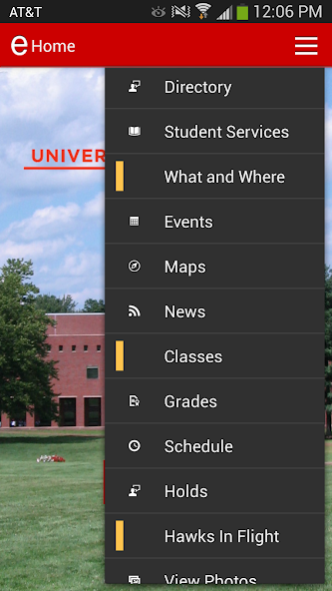

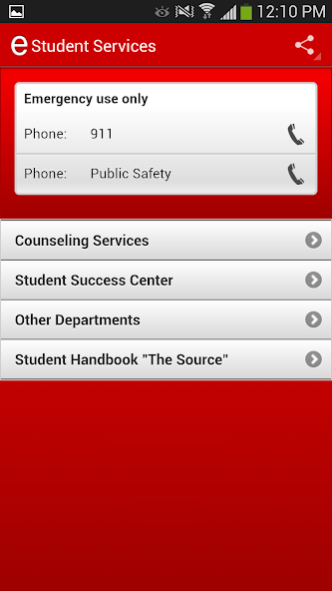
UH Mobile provides students, faculty, staff, and friends of the University of Hartford Community with easy access to information and engagement on their mobile device. Use your Self-Service ID and PIN to log in for Grades, Schedule and Directory.
Features include:
- Directory: search for student or faculty/staff and add to your Contacts
- Student Services: browse a comprehensive directory of student services, with location, hours, phone, and social media links
- Events: see what's happening on campus and add to your Calendar
- Maps: Academic Buildings, Dining Services, and HawkTram Shuttle Stops with your current location (if Location Services enabled)
- News: read the latest updates from UNotes and The Informer
- Grades: access your grades securely, using your Student ID and Self-Service PIN to log in
- Schedule: view times and location for your current classes, access faculty contact information
- Hawks in Flight: view and submit photos showing UHart spirit
Campus Links:
- Dining: check locations, hours, and request changes
- Report It: submit a service request to the University Facilities department
- Campus Media: find University and other Media outlets
- Athletics: keep up with the Hartford Hawks
- Twitter: follow #UHartHawkLife
About UH Mobile
The company that develops UH Mobile is University of Hartford. The latest version released by its developer is 5.6.0.
To install UH Mobile on your Android device, just click the green Continue To App button above to start the installation process. The app is listed on our website since 2022-10-28 and was downloaded 16 times. We have already checked if the download link is safe, however for your own protection we recommend that you scan the downloaded app with your antivirus. Your antivirus may detect the UH Mobile as malware as malware if the download link to edu.hartford.mobile is broken.
How to install UH Mobile on your Android device:
- Click on the Continue To App button on our website. This will redirect you to Google Play.
- Once the UH Mobile is shown in the Google Play listing of your Android device, you can start its download and installation. Tap on the Install button located below the search bar and to the right of the app icon.
- A pop-up window with the permissions required by UH Mobile will be shown. Click on Accept to continue the process.
- UH Mobile will be downloaded onto your device, displaying a progress. Once the download completes, the installation will start and you'll get a notification after the installation is finished.
Program Details
System requirements
Download information
Pricing
Version History
version 5.6.0
posted on 2022-10-28
Quality Enhancements
Support for Android 13
version 5.5.0
posted on 2021-01-30
Option to add a link to your institution’s privacy policy as a
menu item.
User-initiated configuration refreshes through a new refresh configuration menu item.
Extends support for Google Firebase to include Google Firebase Analytics.
Quality Enhancements
version 5.0.0
posted on 2017-04-27
Improves Menu Navigation via collapsible Headings.
Access to Directory information without logging in.
Correct display of Events and News which include links to additional content.
Enables Push Notifications.
Bug fixes.
